For one of our assignments a team of four was tasked with making improvements on the existing trail navigating application All trails. We were asked to do user research on the product to find areas to improve, and this user research was the first step taken in this redesign. The ideal user to sample was an active outdoors person who regularly engaged in trail finding and use. We used screening questionnaires to determine the background and experience of our users, and used this to color our result. From this survey we found one user that was a regular cyclist, and another that went on walking meetups, which was close enough to our target demographic, while a few other test subjects rarely hiked or jogged.
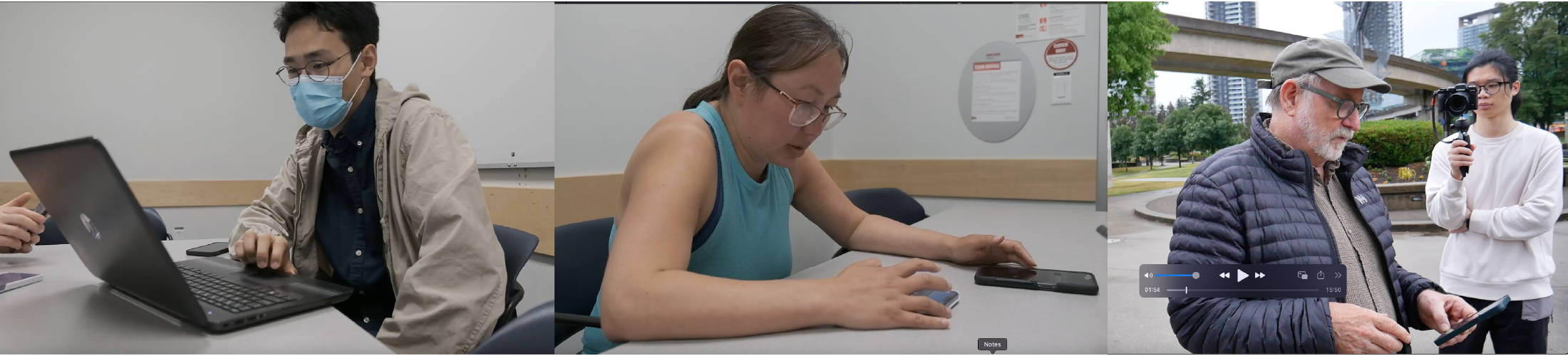
After the initial interview we had our test subjects do a. Think allowed test of the product, vocalizing all of their actions and impressions of the All Trails application. Results were then recorded and transcribed for later analysis, where common complaints were placed on a graph to quantify the most vocalized complaints. A test was done in a lab environment for the all trails desktop application, with field tests being done for the all trails phone application From this think out loud test, it was discovered that the map function was one area of some of the most prominent frustration with web program for all trails. This was confirmed by our post test questionnaire, where users were asked about their area of greatest frustration, and to recommend features.
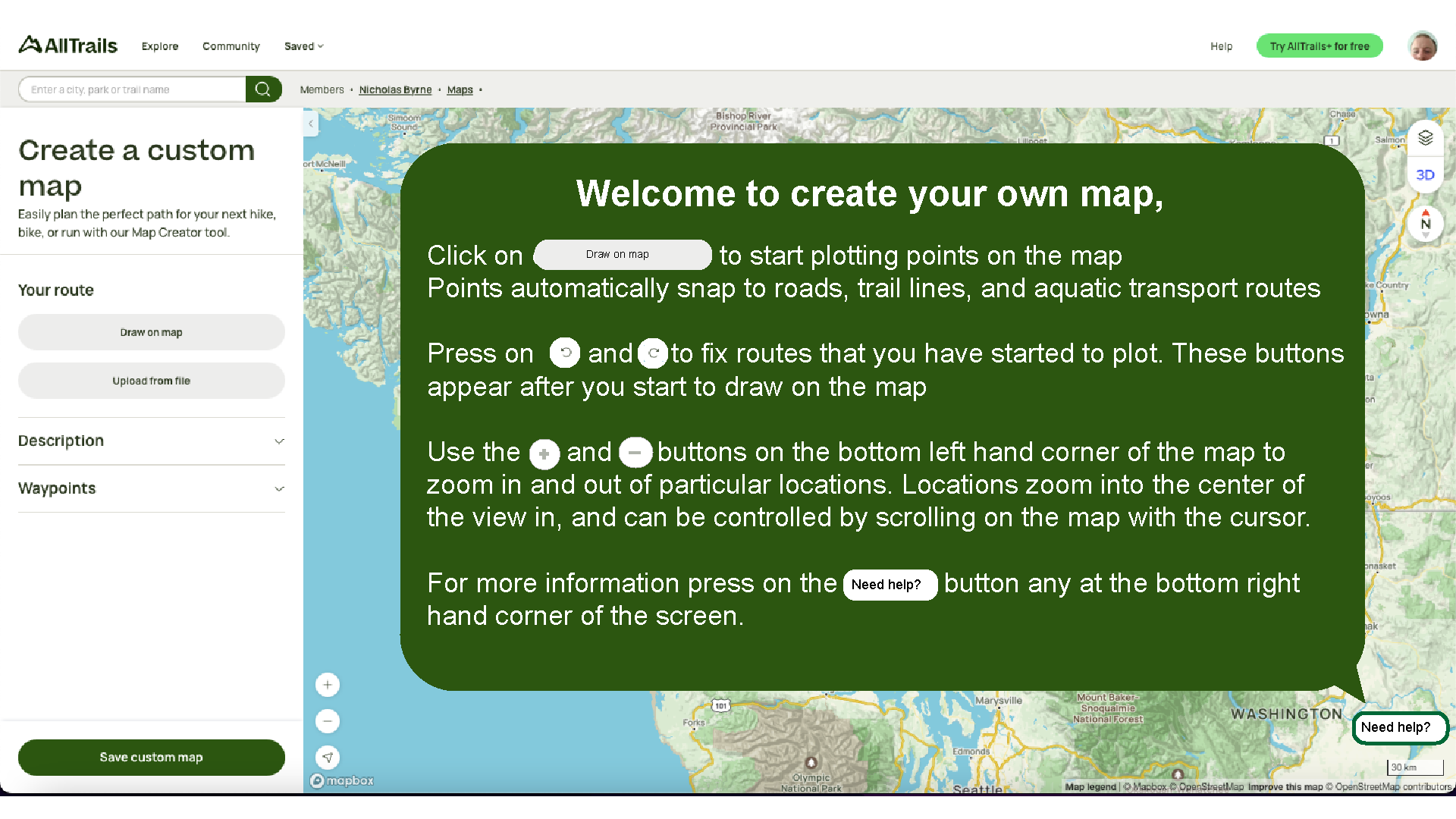
We were then tasked with redesigning three features of the application. I was personally tasked with redesigning the All trails trail marking program, and generates three iterations on this concept. The first fix I created was a tutorial which taught users how to use the trail marking program. This is a recommended feature which was directly mentioned by our users. The tutorial opens before the user starts marking their trail, and is colored green to match the color scheme of the application.
The second solution I came up with for the mapping application was to implement a set of path drawing tools which would provide more control over the path creation process. Several tools such as path node erasing and undo functions were added based on recommendations from the post test questionnaire, where being able to undo a mark was mentioned as a potential improvement on the program.
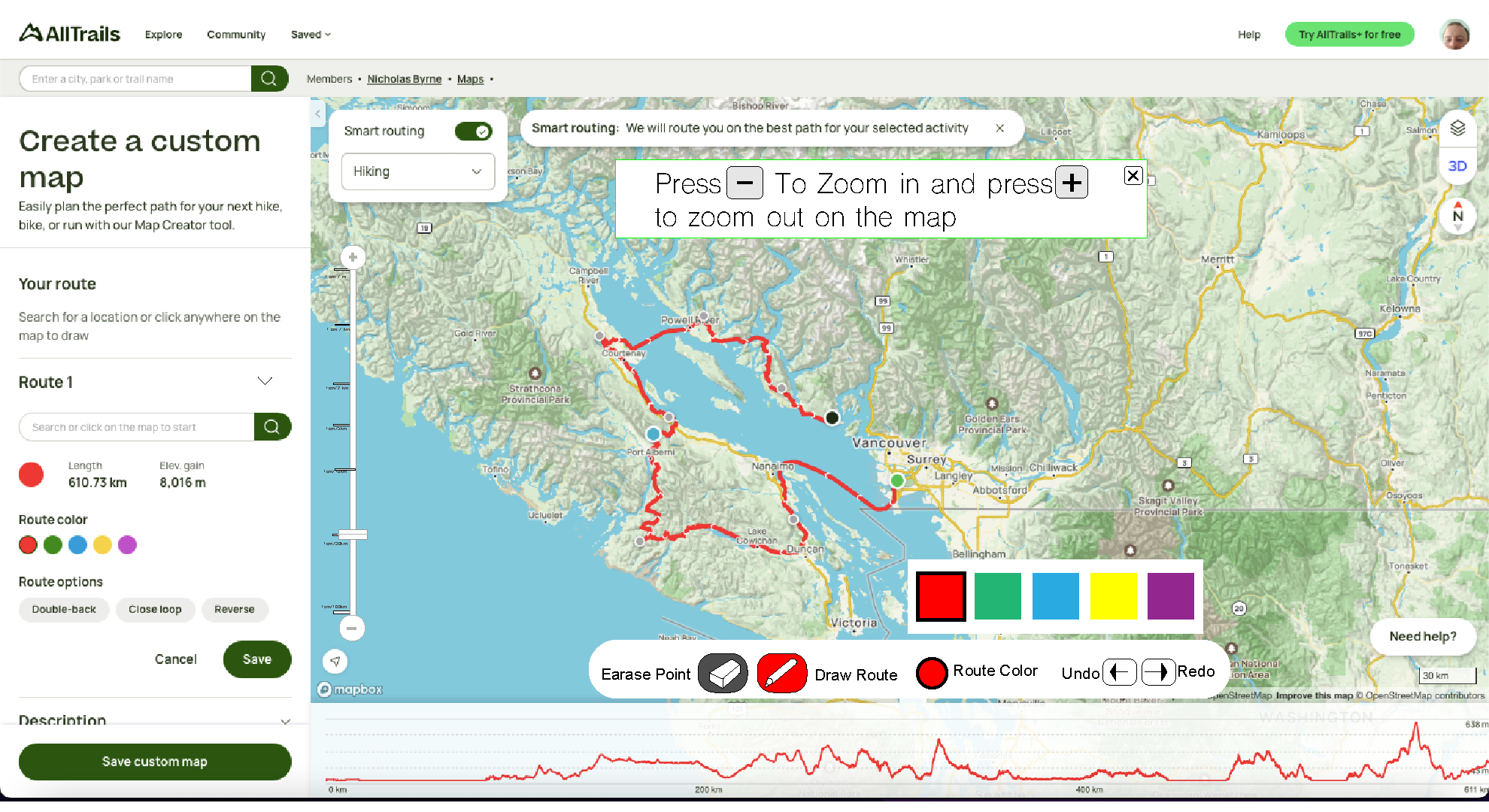
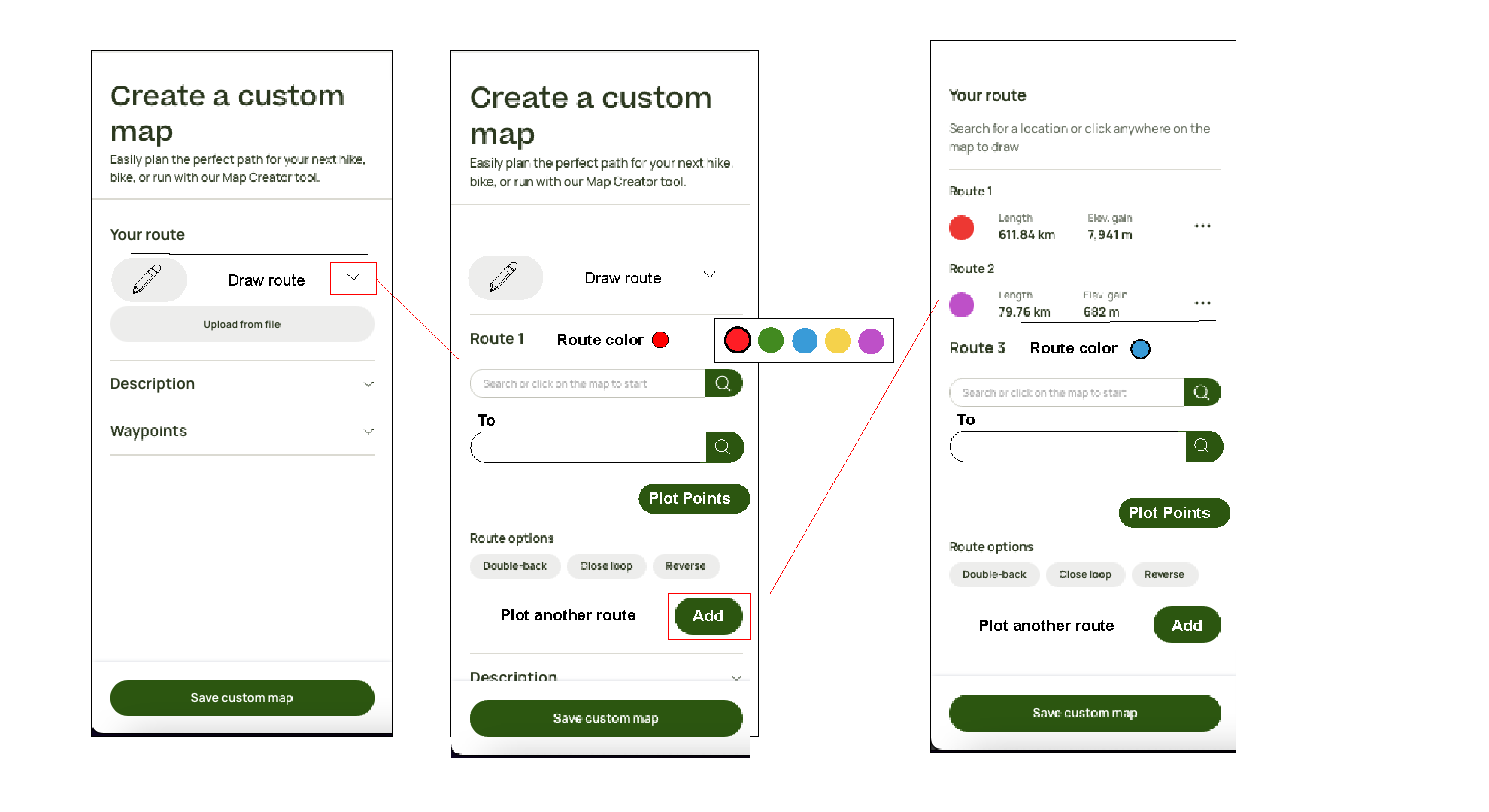
The final adjustment I made to the design of the map drawing page was the introduction of a map drawing icon with a pencil graphic on the side bar of the page. The existing tools existed in this side bar, yet they were not clearly marked out with any symbols or easy to find indicators. This drawing indicator and improved multi path indicators made it easier for users to find and use the path drawing feature.